Each year I’m stuck with the same challenge… How to give students authentic influence, voice and purpose in their learning. Part of this must include cycles of reflection. Short reflections after a learning experience, longer reflection after a unit of learning and even broader after a year together. A yearbook, it seems, should be a time capsule of a year. Something to flip through and reflect on not only who was in your class, but what you did together. What was important, compelling and challenging at that time.
This year, in order to curate these reflections, I decided to survey the class and use the data to develop a variety of infographics, using easel.ly, to reflect their responses.
The following is the survey. Below it, have a look at the infographics for the yearbook.
And the Infographics generated:

There was a powerful moment in 4JR today.
Each week we have a special “Team Time” where students are split up amongst the 4 fourth grade classes with a variety of focuses. This time, we decided to try a provocation for our new unit, an exploration of how Children are a unique part of our society who have special rights.
The idea was this, all students were given the same responsibility: To create a travel poster for Tanzania, in around 45 minutes. Their rights and resources, however, varied tremendously from room to room.
- Room 1 had laptops set up with easy-to-use templates, images to drag and drop, lots of adult support, popcorn on every table, and upbeat music. Students had the right to work independently or in groups.
- Room 2 had simple paper and writing and drawing materials, plus examples of travel posters, and some adult support. Students had the right to work independently or in groups.
- Room 3 had a range of materials, and students had freedom of grouping, but their time was repeatedly interrupted by (phoney) fire drills, and marches out to the field.
- The final room, Room 4, had little scraps of paper, broken pencils with no sharpeners, an angry-seeming, authoritarian teacher, no right to sit or talk, no air-conditioning, and the constant threat of being sent to the principal.
Not surprisingly, when students regrouped after 45 minutes to share their posters it was a very emotional moment. Some students were proudly raving about what a good time they’d had, others were near tears with the stress and sense of relative failure in their responsibility. Others were angry about the interruptions that had made it so difficult for them to succeed. We discussed the following questions:
- How successful do you feel you were in your task?
- What rights did you have?
- What resources did you have?
- How did your rights affect your success?
- How did your resources affect your success?
- Did any big events make it difficult for you to be successful?
Finally, we dug into the big idea…
We know that people all around the world all want basic things like home, community, food, health and education. But people have very different rights and resources.
What are some connections between peoples’ rights and resources and their opportunities for success?
Some students took a while to make the conceptual leap, but others made connections. One student, Rediet, in particular observed: “I think we’re all like the people in (Room 1). We have all these things to help us and people who are nice to us. We’re not used to not having enough resources, or to having people take away our rights”.
It felt like a very powerful way to launch our inquiry into these sorts of ideas and it was fascinating to see the conceptual connections that students made.
We’re ready to continue our tuning in to the ideas around the rights of children. I think the animated text video below may be a good tool to move the conversation to the next level…
After having joined and presented in the first ever Google Summit for Education in East Africa (have a peek at my Google Earth presentation resource site), an amazing opportunity fell into my lap. Our tech coach @aleaf approached me to ask if we were interested in participating in a Virtual Field Trip that seemed like a natural extension of where both our current Unit of Inquiry and several of my students’ Genius Hour projects had been heading… The following is cut and pasted from my class blog.
—————————————-
Something exciting is brewing in Grade 4.
We’ve been invited to participate through Google Connected Classrooms in a Virtual Field Trip to meet, interview and learn from the pilots of the Solar Impulse, the world’s first plane to fly solely on solar power.

The timing couldn’t be better. We’re deep into our explorations of energy and electricity and a group of students have been enthusiastically exploring solar energy in terms of it’s form, it’s advantages, disadvantages and applications; as well as it’s function, how it works.
Next week a few members of the group will be involved in a trial connection with the Solar Impulse education team, ensuring that the technology to support our Virtual Field Trip is ready to roll. Over the week, the solar energy team will spend time learning about the project and developing questions for the pilots, in time for our meeting with them on Friday, April 11.
Have a look at the Connected Classrooms Hangout page, and find out how you can tune in to watch!
Watch this video and visit the Solar Impulse site to learn more about this amazing project.
Have a look at this recording of a past Hangout with a Solar Impulse Engineer to get a better understanding of what a Virtual Field Trip is all about.
On Monday, I mentioned to the class that I had a big surprise in store for them.
On Tuesday, it arrived. 4R is going to join in on the learning experiment known at Genius Hour or sometimes, 20% Time.
Students walking in the door were put into groups of 3 or 4. They were instructed to choose a table, get a laptop, turn in on, then close it. I told them “I’ve heard of something new. It’s exciting, it’s being done in schools around the world, it’s all about inspiration and I think we’re ready for it.” Then we watched this video from the awesome Kid President:
I wrote on the board: What is Genius Hour? What is 20% time? “Take 15 minutes to find out as much as you can about these ideas, then be ready to share with us what you’ve learned.”
Groups got down to business.
Created with Admarket’s flickrSLiDR.
They found a ton of sites, videos and descriptions of what Genius Hour has looked like in other classrooms across grades and around the world. These are a few of the videos they looked at and eventually shared with the rest of us:
After their quick inquiry, students returned to share findings, clarify understandings and pose questions. The first question was “Can we start today?”
The answer, was “Yes.”
Before we can throw ourselves into our projects students will need time to thoughtfully consider which of their passions they might like to explore. What sorts of questions and inquiry might support them to deepen their skills and understanding? This would be a good week for students to speak with their families about what ideas they have in mind.
Here’s what students can expect:
- 1.5 to 2 hours to work on their project per week at school.
- It can be worked on as much as they like at home as well
- Any passion might qualify. It can be a topic to learn about, a skill to acquire, a problem to solve, a product to produce and likely many others…
- Most passions should be expressed as questions
- Each passion proposal will need to be teacher-approved
- Each student will develop and follow a learning plan
- Each student will be expected to share in a reasonable time frame, preferably in a way that can be shared globally through our blog
- The assessment will mostly focus on attitudes and self-regulation in inquiry
When developing questions on your passion, try this thinking routine:

Routine from Making Thinking Visible. Image courtesy of http://sonyaterborg.com
Before visiting the Nogeyama Zoo, second grade spent an hour or so looking at the list of species we would encounter, and finding images of them in their natural habitats. We printed several dozen of these and made a book of them to bring with us to compare with their zoo enclosures.

Hannah & Marna compare the snapping turtle enclosure to its natural habitat they’d researched.
Shortly after arriving, most of 2R were looking at a pair of baboons, grooming each other in their cage when the activity in the neighbouring cage caught our attention. Several students had noticed that the large male chimpanzee was clapping his hands, and would clap back at them when they clapped. They became excited with clapping and soon began hooting and calling out at him. As we all watched, the chimpanzee seemed to get very agitated and worked up. He dashed to the large metal door at the back of his cage and began pounding on it aggressively, louder and louder and faster and faster. After a minute of this he turned and ran towards us at the front of his cage, jumping and throwing his body up at the plexiglass wall that separated us with a bang.
Chimpanzee at Nogeyama Zoo from YIS 2R.
The students were shocked and we slipped around the corner to confer quickly on what had just happened. Students had a range of reactions.
Lars thought that perhaps he was excited by all of our red field trip t-shirts.
Taiki thought he was excited to see us.
Marna and Ellenah suggested that maybe he was embarrassed by knowing that we were talking about him and sort of teasing him, without knowing exactly what we meant.
Other students suggested that he was angered by all the noise we were making and that his pounding on the door showed that he wanted to get out.
As we stood, huddled, discussing, the chimp continued banging loudly and let out a series of howls.
One student suggested that we may want to go back and watch him very quietly to see if it made a difference in his reactions. Without discussion, we all took on this idea and slowly slipped back in front of his enclosure.
Standing quietly in front we experienced a very different interaction. The chimpanzee sat quietly like us. Watching us, with his head bobbing side to side. For almost a minute this continued in silence.

The foot of the Moon Bear in the Nogeyama Zoo.
The next morning, we spoke about how powerful the moment had been for many of us. We decided to use a Visible Thinking routine called Step Inside: Perceive, Know About, Care About to try to better understand our experience. Several students took turns improvising in the role of the chimp, exploring what he perceived, knew about and cared about as a way to try to understand his point of view. A very powerful experience for many of us.
Marna improvises in the role of a chimp at the zoo from YIS 2R on Vimeo.
Sojiro improvises in the role of a chimp. from YIS 2R on Vimeo.
Lisa improvises in the role of a chimp from YIS 2R on Vimeo.
Subscribe to Many Hats...

many hats by Jamie Raskin is licensed under a Creative Commons Attribution-NonCommercial-ShareAlike 3.0 Unported License.


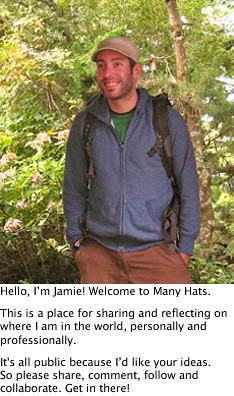
WELCOME TO MANY HATS